FREE Sketch Moth Icon: A Practical, Scalable Asset for Designers and Developers
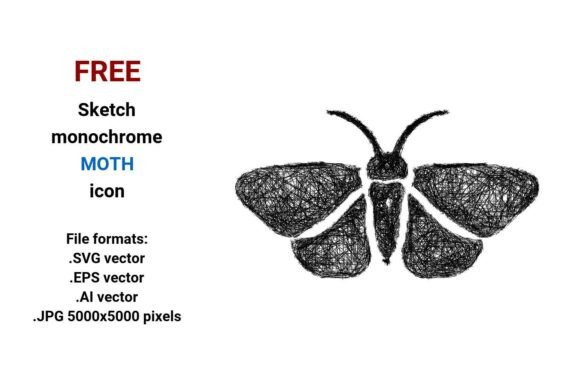
The FREE Sketch Moth Icon is a deliberately minimal, hand-drawn vector representation of a moth—rendered in clean black-and-white line art. Unlike photorealistic or stylized digital illustrations, this asset leans into the authenticity of freehand sketching: subtle line weight variation, slight asymmetry in wing contours, and an organic, slightly imperfect rhythm that evokes pencil-on-paper immediacy. It’s not decorative clutter—it’s a functional design element built for clarity, adaptability, and visual cohesion across interfaces and printed materials.
What You Get—and Why Format Choice Matters
This resource delivers four distinct file formats: .SVG, .EPS, .AI, and .JPG (5000×5000 pixels). Each serves a concrete purpose:
- .SVG: Ideal for web use—lightweight, responsive, and natively supported in modern browsers. Easily styled with CSS (e.g., changing stroke color or hover effects on a moth button in a dashboard UI).
- .EPS and .AI: Industry-standard vector formats compatible with Adobe Illustrator, CorelDRAW, Affinity Designer, and most professional print workflows. These preserve full editability—adjust anchor points, reposition antennae, or isolate wing segments without degradation.
- .JPG: High-resolution raster fallback (5000×5000 px) useful for presentations, mockups, or contexts where vector support is limited—though it lacks scalability and editability.
Because it’s a true vector image—defined by mathematical paths rather than fixed pixels—the FREE Sketch Moth Icon retains crisp fidelity whether scaled to 24px for a mobile app icon or enlarged to poster size for exhibition signage. That reliability isn’t theoretical; it’s observable in production environments where pixelation or blurry edges undermine professionalism.
Design Intent and Visual Functionality
This isn’t just a moth—it’s a night moth icon designed with intention. The silhouette emphasizes key entomological features: elongated antennae, overlapping forewings and hindwings, and delicate fringe along the wing margins—all legible at small sizes. Its monochrome palette ensures accessibility (sufficient contrast against light or dark backgrounds) and seamless integration into existing brand systems. As a line icon or outline icon, it avoids competing with surrounding content while still communicating meaning quickly—a critical trait for UI elements like navigation buttons, category tags, or filter toggles labeled “night moth” or “insect.”
The sketch aesthetic adds warmth and approachability without sacrificing precision. In educational dashboards for ecology curricula, it signals “biological concept” more intuitively than an abstract glyph. In sustainable fashion branding, it subtly reinforces themes of nocturnal pollination or natural cycles—without overt symbolism. That dual utility—functional clarity plus contextual resonance—is rare in freely available assets.
Real-World Use Cases and Audience Fit
Professionals who regularly balance speed, consistency, and creative control benefit most from the FREE Sketch Moth Icon:
- UI/UX designers building nature-themed apps (e.g., citizen science platforms, biodiversity trackers) use the .SVG version to create interactive moth buttons or category filters that scale cleanly across device breakpoints.
- Educators and science communicators embed the .AI file into lesson slides or infographics—editing labels, adding arrows, or layering over habitat maps without quality loss.
- Bloggers and publishers illustrate articles about insect behavior or nighttime ecology using the high-res .JPG for featured images, then switch to .SVG for inline icons within text.
- Small business owners launching eco-conscious product lines (e.g., organic textiles, native plant kits) apply the sketch moth icon as a subtle watermark or packaging motif—its hand-drawn texture conveys artisanal care better than a stock vector.
It’s equally valuable for freelancers managing tight deadlines: no licensing negotiations, no attribution requirements, and no risk of mismatched style. When assembling a cohesive set of design elements, having one consistent sketchy icon for “night,” “wing,” or “moth” reduces cognitive load during layout decisions.
Quality, Consistency, and Practical Limitations
Across all formats, the FREE Sketch Moth Icon maintains clean path construction—no stray anchor points, overlapping strokes, or embedded raster artifacts. That technical discipline matters: poorly built vectors cause rendering glitches in browsers or misalignment when imported into CAD or laser-cutting software. Its simplicity also means fast load times (.SVG under 3 KB) and predictable performance in CMS editors or no-code builders like Webflow or Figma plugins.
That said, its strengths are situational. As a hand drawn sketch, it intentionally avoids photorealism—so it won’t suit projects requiring scientific illustration accuracy (e.g., taxonomic field guides). It’s also monochrome only; users needing color variants must manually recolor in their editor—though that’s trivial with vector tools and often preferable to downloading multiple pre-colored versions.
Another practical note: while the sketch pictogram works well as a standalone button icon or web icon vector, pairing it with text labels is advisable for broader audience comprehension—especially where “moth” may be ambiguous (e.g., distinguishing between species or symbolic meanings across cultures).
Integrating Into Your Workflow
Start with the .SVG if your priority is web delivery: drop it directly into HTML via for maximum control. For print or layered design, open the .AI file in Illustrator—unlock layers, adjust stroke width for different output sizes, or combine it with typography using alignment guides. Because it’s built with standard Bezier curves, even non-Adobe users can import the .EPS into Inkscape or Affinity without conversion hiccups.
As a design element, treat it like typography: test contrast against your background, verify legibility at intended sizes (e.g., 20px for mobile nav), and ensure spacing around it follows your system’s rhythm. Its doodle icon character invites playful application—but grounding it in consistent spacing and sizing preserves usability.
The FREE Sketch Moth Icon succeeds not because it’s flashy, but because it solves recurring, low-level problems: needing a trustworthy, editable, scalable moth icon that feels human-made yet functions like a precision tool. Whether you’re labeling a section titled “Night Moth Behavior” in an online course, designing a dashboard for ecological monitoring, or developing a minimalist logo system for an entomology nonprofit, this asset provides quiet, consistent utility—without demanding attention away from your message.