FREE Sketch Watermelon Icon: A Practical Resource for Designers and Developers
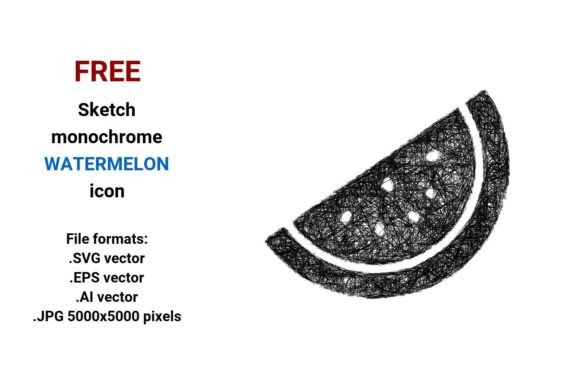
Designers, UI/UX professionals, and digital creators often need expressive yet lightweight visual assets—especially when building playful, approachable interfaces. The FREE Sketch Watermelon Icon meets that need with a hand-drawn aesthetic rooted in authenticity and flexibility. Unlike photorealistic or flat-design watermelon icons, this set embraces imperfection: uneven strokes, subtle tapering, and organic line weight variations that mimic pen-on-paper sketching. It’s not just a watermelon—it’s a melons watermelon icon with personality, grounded in real-world fruit symbolism while serving functional design roles like buttons, badges, or interactive elements.
What Makes This FREE Sketch Watermelon Icon Distinct?
The core distinction lies in its intentional sketch style—not as an afterthought, but as the foundational design language. Each outline is crafted to feel human-made: slightly wobbly curves, tapered ends, and visible stroke direction—all preserved across all four file formats: .SVG vector, .EPS vector, .AI vector, and .JPG (5000×5000 pixels). Because it’s built as a vector image, the mathematical definition of points, lines, and curves ensures crisp rendering at any scale—from a 16-pixel favicon to a full-screen hero illustration—without pixelation or quality loss.
This contrasts with raster-only alternatives (e.g., PNGs or JPGs without vector sources), which degrade when resized. It also differs from overly polished “flat” or “neumorphic” watermelon icons, which may lack warmth or context in creative or educational projects. The FREE Sketch Watermelon Icon occupies a middle ground: professional enough for production use, expressive enough for storytelling or branding aligned with sustainability, wellness, summer campaigns, or food-related startups.
File Formats: Matching Format to Use Case
Having four deliverables isn’t redundancy—it’s strategic versatility:
- .SVG vector: Ideal for websites and web apps. Lightweight, scalable, supports CSS styling and animation. Best for ui button, web sketch icon, or inline illustrations where interactivity matters.
- .EPS vector: Industry-standard for print workflows. Compatible with older desktop publishing tools and large-format output—useful if you’re designing packaging, posters, or merch featuring the watermelon icon.
- .AI vector: Native Adobe Illustrator format. Enables full editing—adjust stroke width, recolor, layer, or combine with other assets. Essential for designers who need to adapt the editable sketch icon into custom illustrations or brand systems.
- .JPG (5000×5000 px): High-resolution raster fallback. Suitable for presentations, social media banners, or platforms that don’t support vector uploads. While not editable like vectors, its resolution ensures clarity even in print mockups or large displays.
Not all free resources offer this breadth. Many “free watermelon icons” provide only PNG or SVG—and often lack true vector editability or stylistic consistency across formats. Here, the FREE Sketch Watermelon Icon maintains fidelity and intent across outputs, reducing guesswork during implementation.
When Does This Sketch Watermelon Icon Fit Best?
This resource shines in contexts where tone and scalability matter equally:
- Educational or children’s interfaces: Its sketchy, pen drawn icon quality feels friendly and non-intimidating—ideal for learning apps, nutrition dashboards, or school websites using fruit as a thematic anchor.
- Startup landing pages or pitch decks: A vector watermelon button can add visual rhythm without sacrificing professionalism—especially when paired with clean typography and ample whitespace.
- Print + digital hybrid projects: A farmer’s market flyer, juice bar menu, or wellness blog might use the same asset across Instagram posts (.JPG), email headers (.SVG), and business cards (.EPS).
- UI kits and design system libraries: As a design element, it integrates naturally alongside other line art or outline icons—supporting cohesion without demanding uniformity.
It’s less suited for ultra-minimalist enterprise dashboards where strict visual hierarchy and rigid alignment dominate—or for applications requiring animated morphing between icons (where consistent path structure across assets becomes critical). In those cases, a more geometric or parametric icon set may align better.
Tradeoffs to Consider
No single icon solves every problem. With the FREE Sketch Watermelon Icon, awareness of tradeoffs supports smarter usage:
- Style specificity: Its rough, scribble-adjacent look won’t match sleek fintech or medical interfaces aiming for clinical precision. If your brand voice leans formal or technical, this may require careful contextual framing—or pairing with more neutral supporting icons.
- Color limitations in black-and-white: As a sketch black and white watermelon icon, it relies on contrast and line weight—not hue—for meaning. That’s an advantage for accessibility and monochrome printing, but limits expressive color coding unless manually recolored in AI or SVG.
- Editing depth: While fully editable in vector formats, users unfamiliar with Bézier handles or path operations may find minor adjustments (e.g., simplifying a curve) steeper than with icon fonts or pre-styled SVGs. Basic familiarity with vector tools helps unlock its full utility.
How It Compares to Broader Categories
Within the ecosystem of watermelon icons, this set sits between two common poles: highly stylized clipart (often low-res, copyright-restricted, and visually generic) and premium subscription icon libraries (which offer volume and consistency but less stylistic uniqueness). It avoids the rigidity of icon fonts and the fragility of unoptimized raster files.
Compared to general-purpose fruit icon packs, it offers focused relevance—no need to sift through apples or bananas when you specifically need a melon watermelon motif. And unlike AI-generated icons (which may lack intentional stroke logic or coherent scaling behavior), this was crafted with deliberate vector discipline—making it predictable in real-world development environments.
For teams evaluating whether to build custom icons in-house versus sourcing externally, the FREE Sketch Watermelon Icon represents a pragmatic midpoint: professionally made, openly usable, and technically sound—without requiring licensing fees or internal design bandwidth.
Making the Call: Is This the Right Choice for You?
You’ll likely benefit most if:
- You value hand-crafted authenticity but need production-ready technical reliability.
- Your project spans multiple outputs—web, print, presentation—and requires consistent visual language.
- You work with tools like Figma, Illustrator, or modern CSS and want to leverage vector advantages without vendor lock-in.
- You’re building something tied to freshness, playfulness, health, or seasonal themes—and want a watermelon that feels intentional, not decorative.
If instead you need dozens of coordinated fruit icons, require strict WCAG-compliant contrast out-of-the-box, or need dynamic theming (e.g., light/dark mode switching via CSS variables), you may need to supplement this icon with additional resources—or choose a broader, more systematic library.
In short, the FREE Sketch Watermelon Icon isn’t a one-size-fits-all solution—but for designers weighing expressiveness against practicality, it’s a well-considered, technically robust option worth evaluating alongside alternatives. Its strength lies not in replacing every other icon, but in filling a specific, recurring gap: the need for a warm, scalable, editable, and genuinely sketch style icon that says “watermelon” without saying “generic clipart.”