FREE Sketch Millipede Icon: A Practical, Scalable Asset for Designers and Communicators
For designers, educators, content creators, and small business owners working with nature-themed visuals or biological concepts, the FREE Sketch Millipede Icon stands out as a quietly versatile asset—not because it’s flashy, but because it balances artistic authenticity with technical reliability. Unlike photorealistic or overly stylized insect graphics, this icon leans into hand-drawn expressiveness while delivering production-ready vector fidelity across four essential formats: .SVG, .EPS, .AI, and a high-resolution .JPG (5000×5000 pixels). That combination makes it useful both in digital interfaces and print applications—where clarity, scalability, and stylistic cohesion matter.
What Makes This Millipede Icon Distinctive?
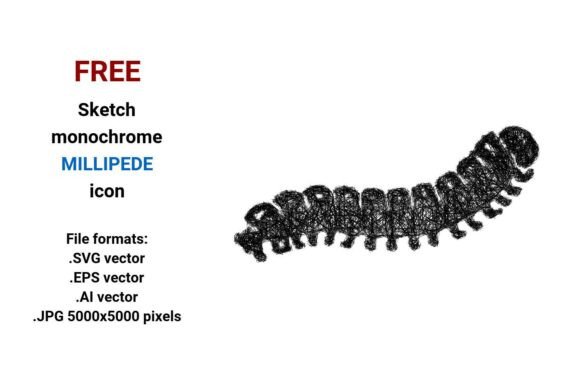
This isn’t just another clipart-style millipede. The FREE Sketch Millipede Icon is built around a deliberate sketch aesthetic—think pencil-line confidence, subtle irregularity in stroke weight, and organic curvature that suggests movement rather than rigidity. It captures the essence of a many leg bug without cluttering the visual field: legs are suggested—not enumerated—with rhythmic spacing and tapering lines that imply motion and segmentation. The black-and-white treatment avoids color dependency, making it easy to recolor, overlay, or integrate into diverse palettes.
As a vector image, it adheres to the core principle of mathematical precision: every curve, point, and anchor is defined algorithmically. That means scaling from a 16-pixel favicon to a 36-inch trade show banner introduces no pixelation, blurring, or edge degradation. Whether embedded in a web UI, layered into an Illustrator layout, or imported into Figma via SVG, the geometry holds. The inclusion of native .AI and .EPS files also supports legacy workflows—especially valuable for print vendors or agencies still relying on older Adobe Creative Suite versions.
Real-World Usability Across Contexts
In practice, the FREE Sketch Millipede Icon performs well where conceptual clarity meets visual restraint. For example:
- Educational materials: Biology teachers use it in worksheets or slide decks to label anatomical features—its sketch style invites annotation and feels approachable to students, unlike clinical diagrams.
- Web and app UI: As a sketch millipede button or navigation element, its outline-based design ensures readability at small sizes, especially when paired with sufficient contrast. The .SVG version loads quickly and remains sharp on retina displays.
- Branding and illustration: Freelance illustrators incorporate it into larger compositions—say, a forest-floor scene or eco-focused campaign—as a consistent, recognizable motif. Its minimal, line millipede icon structure integrates cleanly with other hand-drawn assets.
- Publishing and editorial design: Bloggers covering entomology, biodiversity, or sustainable agriculture use it as a thematic visual anchor—recolored to match brand guidelines or placed alongside text as a sketched icon break.
The .JPG variant—while raster-based—is unusually high-res (5000×5000 px), allowing safe downscaling for large-format prints like posters or exhibition panels without interpolation artifacts. That’s rare among free resources and reflects thoughtful preparation for professional output needs.
Strengths Beyond Aesthetics
Beyond visual appeal, the FREE Sketch Millipede Icon delivers functional strengths often overlooked in free icon sets:
- Consistency across formats: Paths, stroke alignment, and negative space remain identical whether opened in Illustrator, InDesign, or a browser—no surprises during handoff.
- Editing flexibility: All vector files retain editable layers and ungrouped paths. Designers can isolate legs, adjust stroke caps, or modify curvature without destructive flattening.
- Accessibility-aware foundation: Its high-contrast black-on-transparent base supports WCAG-compliant foreground/background pairings. When used as a millipede button, adding focus states or ARIA labels is straightforward.
- Workflow compatibility: The .SVG file includes clean, minimal code—no embedded metadata bloat or redundant groups—making it safe for CMS-driven sites or static site generators.
Who Benefits Most—and When?
The FREE Sketch Millipede Icon suits professionals who prioritize efficiency without sacrificing craft. It’s especially relevant for:
- Freelance designers building nature-themed brand systems or educational toolkits—where consistent, expressive icons reduce custom illustration time.
- Small business owners in gardening, pest ecology consulting, or eco-tourism who need clear, non-alarming visuals for websites or brochures. Its sketchy line icon tone feels informative, not sensational.
- Science communicators and educators creating accessible content about arthropods—using the icon to signal “many leg bug” concepts without oversimplifying anatomy.
- UI/UX practitioners developing niche applications (e.g., biodiversity tracking apps) where thematic coherence matters more than generic icon libraries allow.
It’s less ideal for projects requiring photorealism, animation-ready rigs, or multicolor variants out of the box. Users needing those features will still need to adapt the base files—but the clean vector foundation makes that adaptation faster and more predictable than starting from scratch.
Practical Considerations and Limitations
No free resource is universally perfect—and transparency here helps users assess fit. First, the FREE Sketch Millipede Icon is intentionally monochromatic. While this boosts versatility, it means color customization requires manual recoloring in vector editors or CSS (for SVG). Second, although the leg count is stylized—not scientifically precise—it’s accurate enough for general communication; specialists needing taxonomic fidelity should supplement with reference imagery.
Also worth noting: the sketch aesthetic relies on perceived imperfection. If your project demands absolute geometric uniformity (e.g., certain tech dashboards or corporate infographics), this may clash with surrounding elements. But for audiences valuing warmth, approachability, or creative authenticity—like educators, environmental nonprofits, or indie publishers—the slight roughness enhances credibility, not detracts from it.
Final Thoughts: A Thoughtfully Built Tool
The FREE Sketch Millipede Icon succeeds not by trying to be everything, but by excelling where it’s designed to: as a scalable, editable, stylistically coherent representation of a millipede that works across media, audiences, and workflows. Its value lies in how little friction it introduces—whether you’re dropping it into a Figma prototype, prepping a conference handout, or illustrating a children’s science blog post. It respects your time, your tools, and your audience’s expectations. For professionals who regularly translate complex ideas—like “many leg bug,” “insect diversity,” or “segmented anatomy”—into clear visual language, this icon earns its place in the toolkit not as decoration, but as functional shorthand.