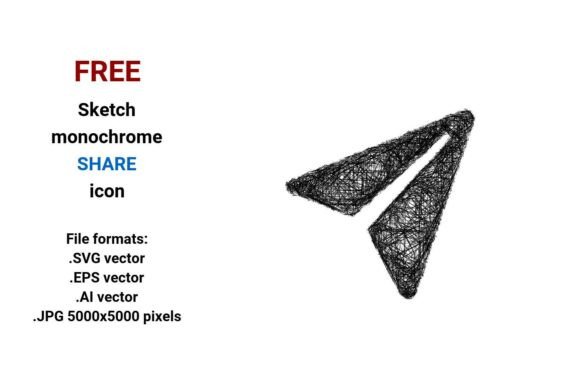
FREE Sketch Share Icon: Hand-Drawn & Scalable
Need a share icon that feels human—not robotic? The FREE Sketch Share Icon delivers exactly that: a hand-drawn, black-and-white share symbol with intentional imperfections—slight wobbles in the line, subtle tapering, and organic rhythm—designed to evoke creativity, approachability, and authenticity. Unlike rigid, over-polished UI icons, this one breathes. It’s not just decorative; it’s communicative. And because it’s delivered in four essential formats—including .SVG, .EPS, .AI, and a high-res .JPG (5000×5000 px)—it works across design tools, web platforms, print materials, and presentations without compromise.
Why a Sketch-Style Share Icon Fits Real Workflows
A “share” action shouldn’t feel transactional—it should invite connection. That’s where the FREE Sketch Share Icon stands apart. Its doodle-style outline and pencil-like weight make it ideal for contexts where warmth and clarity matter more than sterile uniformity: educator slide decks explaining collaborative learning, indie podcast websites encouraging listener engagement, or nonprofit dashboards visualizing community impact. In these settings, a crisp vector icon can feel cold—but a well-executed sketch icon signals openness, iteration, and shared ownership.
This isn’t about aesthetics alone. It’s about alignment. When your brand voice leans toward curiosity, experimentation, or grassroots energy, a monochrome sketch share icon reinforces that tone at the interface level—without needing extra copy or explanation.
Vector Flexibility You Can Actually Use
The FREE Sketch Share Icon comes as a true vector image: built from mathematical paths, not pixels. That means it scales infinitely—whether you’re placing it tiny in a mobile app header or blowing it up to 3 feet wide for a conference backdrop. No blurriness. No pixelation. Just clean, consistent lines every time.
You get three vector formats—.SVG, .EPS, and .AI—each serving distinct needs:
- .SVG: Best for websites and web apps. Loads fast, supports CSS styling (color shifts, hover effects), and stays sharp on retina displays.
- .EPS: Ideal for print designers using Adobe Illustrator, InDesign, or CorelDRAW. Preserves layers and editability, even when opened outside Adobe ecosystems.
- .AI: Fully editable inside Adobe Illustrator—adjust anchor points, tweak stroke width, or recolor with precision.
And yes—the included .JPG (5000×5000 px) is genuinely useful. Not as a substitute for vectors, but as a fallback: embedding into PowerPoint or Keynote slides, adding to non-vector-friendly CMS fields, or sharing quickly with stakeholders who don’t need editing access.
Who Benefits Most—and How
Educators and trainers use the FREE Sketch Share Icon to label collaborative activities in lesson plans or LMS interfaces—its sketchy quality subtly cues “this is co-created,” not top-down instruction. One university instructional designer reported fewer student questions about how to submit group work after replacing a generic share button with this icon in their course dashboard.
Freelancers and small business owners appreciate how quickly it integrates into client-facing assets—landing pages, pitch decks, email footers—without requiring custom illustration time. Since it’s free and royalty-free, there’s no licensing friction or budget debate. You drop it in, adjust size or color if needed, and move on.
Bloggers and content creators find it especially effective in “share this idea” callouts—think quote graphics, summary carousels, or downloadable resource buttons. Its hand-drawn texture visually differentiates share actions from standard navigation, increasing visibility without shouting.
When to Choose This Over Other Share Icons
This icon shines where personality matters: in creative portfolios, workshop handouts, startup pitch decks, or internal tools meant to feel human-centered. If your goal is consistency across a strict corporate design system—or you need dozens of matching icons in the same style—this may require extra effort to harmonize. It’s not a full UI kit; it’s a single, intentional element.
It also assumes you value monochrome simplicity. There are no color variants included—just black-on-transparent (or white-on-transparent, depending on background). That’s by design: it keeps file sizes minimal, ensures accessibility contrast control, and lets you adapt it to any palette via CSS or layer blending. But if you need ready-made red/green/blue versions out of the box, you’ll need to recolor it yourself.
Practical Tips for Getting the Most From It
Start with the .SVG for web use—it’s lightweight and responsive. For precise tweaks (like adjusting the curve of the arrowhead or tightening spacing), open the .AI file in Illustrator. Need to explain the concept to a non-designer colleague? Export the .JPG and annotate it directly—it’s resolution-rich enough for zoomed-in feedback.
In presentations, pair it with short, active verbs: “Share your insight,” “Pass this along,” or “Sketch your take.” The icon’s roughness invites participation—not passive consumption. That subtle psychological nudge is hard to replicate with geometric icons.
Not Just an Icon—A Communication Tool
A vector share icon is more than a clickable shape. It’s part of how users interpret intent, trust, and tone before they even read a word. The FREE Sketch Share Icon leverages the universal familiarity of hand-drawn marks while delivering professional-grade technical flexibility. It bridges sketchpad spontaneity and digital precision—making it equally at home in a wireframe, a printed workbook, or a live dashboard.
Because it’s delivered in multiple formats, you’re never locked into one workflow. Whether you’re building a static site with HTML/CSS, designing in Figma (importing SVG), prepping a print-ready PDF, or assembling a keynote deck—you’ve got the right version, ready to go.
And since it’s truly free—no email gate, no attribution required—you can test it in one project, then reuse it across ten. No reevaluation. No friction. Just a thoughtful, scalable tool for sharing ideas with intention.