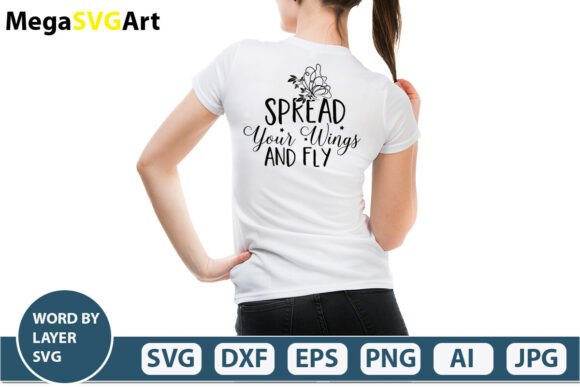
Spread Your Wings and Fly SVG Bundle
“Spread Your Wings and Fly” is more than a phrase—it’s a visual motif that resonates across contexts: personal growth, graduation celebrations, motivational design, classroom encouragement, or even branding for wellness and coaching businesses. This digital download delivers the phrase as a layered, word-by-word vector design—optimized for precision cutting, editing, and versatile application.
What You’ll Actually Receive (No Surprises)
Your purchase includes one .zip file containing six distinct, production-ready files:
- 1 AI file: The Adobe Illustrator source file—fully editable layers, fonts converted to outlines, ideal for designers who need full control over spacing, kerning, and color.
- 1 SVG file: A word-by-layer cut file—each word sits on its own layer, making it simple to hide, rearrange, or cut individual words with Cricut Design Space, Silhouette Studio, or Inkscape.
- 1 PNG file: 300 DPI, transparent background—ready for print-on-demand mockups, social media graphics, or digital presentations without white borders or pixelation.
- 1 EPS file: An industry-standard editable vector format compatible with older versions of Illustrator and many professional print workflows.
- 1 DXF file: Optimized for CNC machines, laser cutters, and some CAD-based tools—especially useful for woodworkers, sign makers, or educators using maker-space equipment.
- 1 JPEG file: High-resolution preview for quick reference, sharing, or embedding where transparency isn’t needed.
All files are pre-tested for compatibility with Cricut, Silhouette, Inkscape, Adobe Photoshop, and Adobe Illustrator. No fonts to install. No missing layers. No scaling surprises.
For Beginners Using a Cricut or Silhouette
If you’re new to vinyl cutting or heat transfer, “Spread Your Wings and Fly” offers a gentle entry point. The word-by-layer SVG means you don’t need to ungroup or troubleshoot overlapping letters. You can cut just “Wings” for a nursery wall quote—or “Fly” alone for a graduation keychain. There’s no learning curve tied to pathfinding or compound shapes. Just open, select, resize, and cut.
For Educators and Youth Program Coordinators
In classrooms or after-school programs, this design supports social-emotional learning themes like resilience, self-advocacy, and goal-setting. Teachers use the PNG in Google Slides for morning meetings; the SVG cuts cleanly for student-made badges or bulletin board displays. Because each word is isolated, students can rearrange them into sentences, match vocabulary to definitions, or create layered art projects—building literacy and fine motor skills at once.
For Small Business Owners and Coaches
Coaches, therapists, life strategists, and wellness entrepreneurs often lean on uplifting language—but generic quotes lack brand cohesion. With this bundle, you retain full creative control. Swap colors to match your logo palette. Adjust letter spacing for Instagram story text overlays. Use the EPS in client handouts or the DXF to etch the phrase onto wooden keepsakes sold in your shop. It’s not clip art—it’s infrastructure for consistent, meaningful messaging.
For Freelance Designers and Print-on-Demand Sellers
You’re evaluating assets by scalability, licensing clarity, and integration speed. This set checks those boxes: vectors scale infinitely without quality loss, all text is outlined (no font dependency), and the layered structure supports rapid customization—say, swapping “Fly” for “Soar” while keeping alignment intact. For POD sellers, the 300 DPI PNG works directly in Printful or Gelato product mockups, and the transparent background avoids extra editing steps before upload.
For Hobbyists and Home Crafters
You might be cutting iron-on for a child’s backpack, etching glass for a friend’s birthday, or assembling a layered shadow box. The flexibility here saves time—not just in execution, but in decision-making. No need to hunt for five separate single-word files or wrestle with misaligned tracking. Everything lines up. Everything scales cleanly. And because it’s digital-only, there’s no shipping delay when inspiration strikes at midnight.
What to Consider Before Downloading
This is a digital download only—no physical item ships. That means instant access, but also requires you to have compatible software or hardware. If you’re using Cricut Design Space, you’ll upload the SVG directly. Silhouette users benefit from the layered structure when using the “Send to Silhouette” function. Inkscape users appreciate the clean paths and grouped layers—no manual node cleanup required.
Quality is consistent across formats, but priorities differ:
- Ease of use matters most if you’re cutting weekly for family projects—so the SVG and clear layer naming help most.
- Flexibility matters if you plan to adapt the phrase across mediums—then the AI and EPS files become essential.
- Commercial value comes into focus if you’re selling finished items—the included license permits physical resale (e.g., mugs, shirts, signs) with no attribution required.
- Long-term usefulness increases if you keep a library of layered, well-organized files—this set follows consistent naming and grouping conventions, making future edits predictable.
When This Might Not Be the Right Fit
If you need animated versions, web-optimized SVGs with embedded CSS, or multilingual variants (e.g., Spanish or French translations), this bundle doesn’t include those. It’s intentionally focused: one phrase, multiple production-ready formats, zero bloat. Likewise, if you’re seeking hand-drawn or script-style lettering, this is a clean, modern sans-serif treatment—not ornamental calligraphy.
It also assumes basic familiarity with importing and resizing vector files. While no advanced skills are required, someone completely new to design software may want to review their tool’s import guidelines first—especially around handling SVG layers or converting text to outlines (though this step is already done for you).
A Practical Starting Point for Your Next Project
Try opening the SVG in Cricut Design Space and toggling visibility for “Wings” and “Fly” to create a two-word focal point for a graduation card. Or import the AI file into Illustrator, change the fill to a gradient, and export a new PNG for an eBook cover. An educator might paste the PNG into Canva, add student photos beside each word, and print a collaborative “growth wall.” A small business owner could use the DXF to engrave the phrase on bamboo coasters—then photograph and list them same-day.
The value isn’t just in the phrase itself. It’s in how quickly and confidently you can move from idea to output—without detours, dependencies, or uncertainty about compatibility.