Free Sketch Smart Garage Icon: Scalable, Stylish & Ready for Any Project
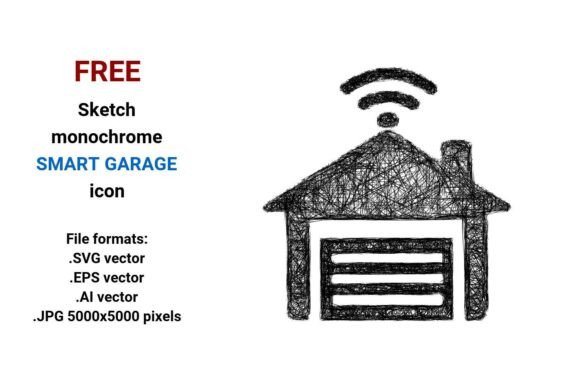
Whether you’re designing a smart home app interface, building a garage automation dashboard, or crafting an infographic about modern home security, having the right visual assets makes all the difference. The FREE Sketch Smart Garage Icon delivers exactly that — a clean, expressive, and technically robust representation of a smart garage system in four versatile file formats: .SVG, .EPS, .AI, and high-res .JPG (5000×5000 pixels). It’s not just another icon — it’s a thoughtfully crafted vector symbol built for clarity, consistency, and creative flexibility.
Why Vector Matters — Especially for Smart Garage Icons
A vector image isn’t pixel-based. Instead, it uses mathematical equations to define points, lines, curves, and shapes — meaning it scales infinitely without blurring, jagging, or losing detail. That’s essential when your icon appears as a tiny 24×24px button on a mobile app and as a full-width hero graphic on a smart home product landing page. Unlike raster images (like standard JPGs or PNGs), vectors stay razor-sharp at any size — whether printed on a brochure or embedded in a responsive website.
The FREE sketch black and white smart garage icon leverages this power. Its clean line art style — part minimal, part artistic sketch — translates beautifully across devices, resolutions, and contexts. You won’t need to re-draw or re-export for different screen densities. One download covers every use case.
What’s Inside the FREE Sketch Smart Garage Icon Bundle?
This isn’t a single static image — it’s a purpose-built toolkit. Here’s what you get:
- .SVG vector — Perfect for websites and web apps. Lightweight, editable via CSS or code, supports transparency, and loads fast. Ideal for garage door toggles, status indicators, or navigation icons in smart home dashboards.
- .EPS vector — Industry-standard for print and professional design software. Use it in brochures, spec sheets, or installation manuals where crisp fidelity matters — even at poster size.
- .AI vector — Native Adobe Illustrator format. Fully layered and editable: adjust stroke weight, recolor elements, isolate the garage door outline, or tweak the sketch texture to match your brand’s visual language.
- .JPG (5000×5000 px) — High-resolution raster fallback. Great for presentations, social media banners, or platforms that don’t support vector uploads — without sacrificing clarity.
Each file reflects the same core concept: a simplified yet expressive sketch of a garage — with subtle cues suggesting intelligence and connectivity. Think clean lines, balanced negative space, and just enough detail to communicate “smart garage” at a glance.
How Designers & Developers Actually Use This Icon
In real-world projects, this icon bridges function and feel. A UX designer might drop the .SVG into a Figma prototype to represent a “Garage Door Status” module — then animate its open/closed state using CSS transforms. A front-end developer could embed it directly in HTML, applying hover effects or accessibility labels like aria-label="Smart garage door control".
For hardware startups launching a new smart garage opener, the .AI file lets marketing teams adapt the icon for packaging — adding their logo color or integrating it into a larger product diagram. Meanwhile, technical writers use the .EPS version in user manuals to illustrate setup steps, knowing it’ll stay legible when scaled down to fit a two-column layout.
Even educators and content creators benefit. In an explainer video about smart home ecosystems, the .JPG version works seamlessly in editing software — no pixelation when zooming in on the garage door icon during a step-by-step walkthrough.
More Than Just an Icon — It’s a Design System Anchor
This FREE Sketch Smart Garage Icon fits naturally within broader design systems. Its sketch aesthetic — sometimes called “doodle,” “scribble,” or “rough sketch icon” — adds human warmth without sacrificing professionalism. That’s why it pairs so well with other hand-drawn UI elements, minimalist infographics, or line-art illustrations used across modern SaaS dashboards and IoT interfaces.
It’s also intentionally isolated and centered — no background, no shadow, no extra noise. That means it drops cleanly into dark mode interfaces, overlays on photos, or animated transitions. Whether you’re labeling a “Smart Garage Button” in a mobile app or illustrating a “Line Smart Garage Icon” flowchart for an engineering team, the visual hierarchy stays intact.
Keywords That Reflect Real User Needs
People search for more than just “icon.” They search for solutions. That’s why terms like smart garage vector, garage door icon, web icon vector, and sketch smart garage button matter — they reflect actual workflows. Someone building a React component library needs a scalable smart garage button. A freelance designer pitching a smart home brand refresh needs a flexible artistic sketch icon that feels custom but saves hours of illustration time.
Other practical search phrases — like line art garage icon, outline smart garage icon, or minimal garage icon — point to specific stylistic preferences. This bundle answers them all: it’s line-based, outlined, minimal by design, and still rich with character.
Smart Home Integration — Where Visual Clarity Meets Technical Precision
In the smart home space, icons aren’t decorative — they’re functional signposts. Users glance at an app and must instantly understand whether the garage door is open, closed, or malfunctioning. Ambiguity causes friction. That’s why this icon avoids overly abstract symbols — no cryptic glyphs or vague silhouettes. Instead, it uses clear spatial cues: a distinct rectangular frame (the garage opening), a subtle hinge or track line, and a stylized door panel that reads as both physical and connected.
It’s also designed for accessibility. The contrast between the black sketch lines and transparent/white background meets WCAG guidelines for non-text contrast. When paired with proper alt text or ARIA labels, it supports screen readers and keyboard navigation — critical for inclusive smart home experiences.
When to Choose This Over Other Garage Icons
You’ll reach for the FREE Sketch Smart Garage Icon when you need:
- Consistency across platforms — One source file adapts to web, iOS, Android, print, and presentation tools.
- Brand-aligned flexibility — Easily recolor, resize, or combine with other sketch-style assets.
- Speed without compromise — Skip custom illustration or licensing fees. No attribution required.
- Contextual versatility — Works equally well in technical docs, consumer apps, marketing visuals, and educational materials.
Compare that to generic clipart or over-designed 3D icons — which often look dated, fail to scale, or clash with minimalist interfaces. Or consider subscription-based icon libraries: while useful for volume, they rarely offer the cohesive, hand-crafted tone this sketch icon delivers out of the box.
Final Thoughts — Design With Purpose, Not Just Pixels
The FREE Sketch Smart Garage Icon is more than a download — it’s a small but meaningful tool for designers, developers, and product teams building the future of connected living. It respects the intelligence behind smart garage systems while honoring the craft of thoughtful visual communication. Whether you're sketching wireframes, coding interactive controls, or assembling a smart home pitch deck, this icon gives you precision, personality, and zero technical debt.
And because it’s truly free — no watermarks, no hidden tiers, no email gate — it lowers the barrier to high-quality design. Use it in commercial projects. Modify it. Scale it. Make it yours. Because great tools shouldn’t come with friction — just clarity, flexibility, and quiet confidence.