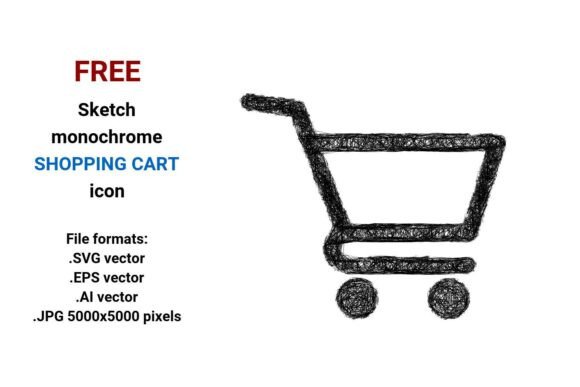
FREE Sketch Shopping Cart Icon
A FREE Sketch Shopping Cart Icon is more than a visual placeholder—it’s a functional, scalable asset designed to support clarity and consistency across digital commerce interfaces. Unlike raster images that blur or pixelate when resized, this icon is built as a vector—meaning it’s defined by mathematical paths rather than fixed pixels. That makes it ideal for responsive websites, high-resolution print materials, dashboard UIs, and mobile applications where sharpness at any scale matters.
This particular set includes a FREE sketch black and white shopping cart icon delivered in four widely compatible formats: .SVG (web-optimized and editable in code or design tools), .EPS (industry-standard for print workflows), .AI (native Adobe Illustrator format for full layer control and editing), and .JPG at 5000×5000 pixels (high-res raster fallback for platforms that don’t support vector imports). Each version preserves the same clean, handdrawn aesthetic—subtle line weight variation, gentle curvature, and intentional imperfection that signals approachability without sacrificing professionalism.
Where It Fits in Your Workflow
You’ll often reach for a cart icon not at the start of a project—but at key integration points: when refining a checkout flow, updating a marketing landing page, building a new Shopify theme, or designing an internal analytics dashboard. The FREE Sketch Shopping Cart Icon bridges conceptual design and technical execution. For example, a freelance web designer might sketch wireframes on paper, then drop this icon into Figma or Adobe XD to test visual hierarchy before handing off assets to a developer. Because it’s available in .SVG, the developer can embed it directly in HTML with inline scaling, CSS hover effects, or dynamic color changes—no extra HTTP requests or font dependencies.
For small business owners launching an online store, this icon supports both speed and brand alignment. Instead of commissioning custom iconography or sifting through crowded stock libraries, they can download the FREE Sketch Shopping Cart Icon, open the .AI file in Illustrator, adjust stroke width or add a subtle shadow, then export for use across their WooCommerce product pages, email newsletter headers, and social media ads—all while maintaining visual continuity.
Compatibility and Practical Integration
Vector compatibility isn’t theoretical—it’s about reducing friction. The .SVG version works natively in modern browsers and integrates cleanly into CMS platforms like WordPress (via plugins like SVG Support) or Webflow (as inline SVG or background image). The .EPS and .AI files ensure seamless handoff between designers, printers, and agencies—especially important if you’re producing branded packaging or trade show signage where precise Pantone matching or CMYK separation is required.
The included 5000×5000 .JPG serves a specific purpose: fallback use where vectors aren’t supported—like certain email clients, legacy CMS themes, or presentation software (e.g., PowerPoint or Keynote). Its high resolution means it stays crisp even when scaled up for large-format displays or printed handouts. Just remember to compress it before web use to avoid slowing down page load—tools like Squoosh or ImageOptim handle that in seconds.
Using It Before, During, and After a Project
Before: Use the FREE Sketch Shopping Cart Icon during discovery and planning. Drop it into mood boards or style tiles alongside typography samples and color palettes to assess visual harmony early. Its sketch-style aesthetic pairs well with organic brand voices—think artisan food brands, indie publishers, or wellness coaches—so it helps surface alignment (or misalignment) before committing to broader design systems.
During: Embed the .SVG directly into your development environment. Because it’s semantic and accessible (with proper aria-label attributes), it supports inclusive design goals without extra effort. If you’re using a component library like React or Vue, wrap the SVG in a reusable CartIcon component—then swap fill colors or add animation triggers based on cart state (e.g., pulse on item add, badge counter overlay).
After: Reuse it across documentation, training materials, and internal wikis. A marketing team documenting their new checkout funnel can insert the same icon into Notion or Confluence—ensuring stakeholders see exactly what users will interact with. Its isolated, white-background composition means no time spent removing backgrounds or adjusting contrast.
Quality Control and Long-Term Usability
Because this is a handdrawn vector icon—not a traced bitmap—it retains natural flow and rhythm in its lines. That translates to better legibility at small sizes (e.g., 24×24px in a mobile nav bar) and graceful scalability up to billboard dimensions. Test it at multiple sizes early: zoom to 400% in your design tool and check for unintended gaps or uneven strokes. You’ll find the curves hold integrity, and the negative space around the basket remains balanced.
Organization matters too. Save each format in clearly labeled subfolders (/svg/, /print/, /raster/) and document usage guidelines in your team’s shared asset library—e.g., “Use .SVG for web; .AI for edits; .JPG only for email.” Consistent naming (e.g., cart-icon-sketch-black-24px.svg) prevents version confusion later. And because it’s free and royalty-free, there’s no licensing overhead when scaling usage across departments or client projects.
Real-World Implementation Tips
- For educators and bloggers: Insert the .SVG into lesson slides or blog posts about e-commerce UX. Its sketch style visually signals “conceptual” or “in-progress,” helping learners distinguish between final production assets and illustrative examples.
- For marketers running A/B tests: Swap this icon against a flat, geometric alternative in two variants of a product page. Track click-through rate on the cart button—the sketch style often increases perceived authenticity and trust, especially in niche or handmade markets.
- For developers integrating with headless commerce: Import the .SVG into your icon sprite sheet or icon system. Assign it a meaningful class name like
icon-cart--sketchso future audits or redesigns can identify usage patterns across the codebase. - For freelancers managing multiple clients: Keep a master folder with all four formats and a README noting permitted uses (e.g., “Editable for client-branded derivatives; not for resale as standalone icon packs”). That sets clear boundaries without legal ambiguity.
Why This Approach Works
Free doesn’t mean generic—and sketch doesn’t mean unprofessional. The FREE Sketch Shopping Cart Icon reflects a deliberate design decision: to communicate human-centered commerce. Its line-based construction invites customization without demanding expertise. You can recolor it in two clicks, combine it with other sketch-style icons to build a cohesive set, or use it as-is for rapid prototyping. It respects your time, your tools, and your audience’s expectations—whether they’re browsing on a 4K monitor or tapping a thumb-sized button on a subway ride.
What makes it durable isn’t just technical quality—it’s contextual fit. In a landscape saturated with over-polished, algorithmically generated assets, this icon offers warmth, clarity, and immediate recognition. It doesn’t shout. It supports. And that’s exactly how utility should behave in real workflows.