FREE Sketch Globe Icon: A Scalable, Minimalist Choice for Global-Themed Design
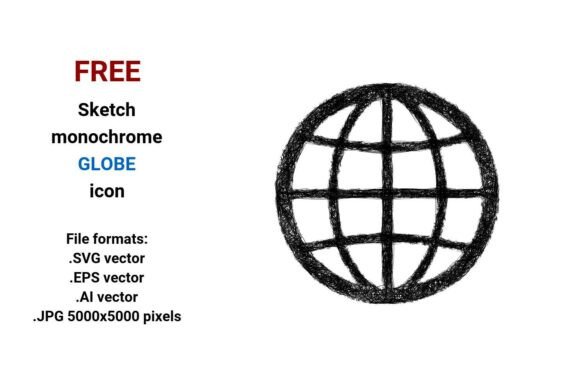
The FREE Sketch Globe Icon is a hand-drawn-style vector representation of Earth—deliberately imperfect, lightly textured, and built for clarity over photorealism. Unlike polished 3D globes or flat-color icons, it uses clean line work, subtle sketch-like imperfections, and monochrome contrast to evoke human authorship and approachability. It’s not just an image of the world—it’s a visual shorthand for international connection, global thinking, or cross-border collaboration, designed with interface usability in mind.
What Makes This Sketch Globe Distinct?
At its core, the FREE Sketch Globe Icon stands out through intentional stylistic restraint. Its outline mimics pencil-on-paper fidelity—slight wobble in curves, tapered stroke ends, and open contours that suggest drawing rather than rendering. That sketch aesthetic supports design systems prioritizing warmth, authenticity, or creative identity—especially where corporate polish might feel at odds with brand voice.
It ships in four formats: .SVG, .EPS, .AI, and .JPG (5000×5000 px). The vector files (.SVG, .EPS, .AI) preserve full editability—stroke weight, color, anchor points, and layer structure can all be adjusted in compatible software. The high-res JPG serves as a fallback for non-vector contexts like print mockups or presentations where transparency or scalability isn’t required—but it lacks the flexibility of its vector counterparts.
This dual-format availability addresses real workflow needs: designers building responsive UIs lean on SVG for crisp rendering at any screen size; illustrators refining icon families use AI or EPS for precise path manipulation; marketers embedding into slide decks may prefer the plug-and-play reliability of the JPG.
How It Fits Within the Broader Globe Icon Landscape
Globe icons fall into several recognizable categories: photorealistic, flat-color, isometric, line-only, and hand-drawn. The FREE Sketch Globe Icon sits firmly in the last group—but not all sketch-style globes are equal. Some rely on raster textures that break down when enlarged; others embed noise or grain that doesn’t scale cleanly. This version avoids those pitfalls by anchoring its sketch character in vector path construction—not bitmap overlays.
Compared to generic “world” or “earth” icons found in free icon libraries, it trades universality for expressiveness. A solid-circle-with-continent-silhouette icon communicates “global” efficiently but neutrally. The FREE Sketch Globe Icon adds nuance: it signals intentionality, craft, and human-scale perspective. That distinction matters most in contexts where tone carries meaning—think sustainability dashboards, educational toolkits, or startup landing pages emphasizing grassroots global impact.
Strengths and Practical Tradeoffs
Strengths:
- True scalability — As a vector, it renders sharply from 16×16px favicons to 4K banner backgrounds without aliasing or blurring.
- Monochrome flexibility — Delivered in black-and-white, it adapts easily to light/dark modes, brand color overrides, or duotone treatments via CSS or design tools.
- Interface-ready simplicity — Its open-outline style ensures legibility even at small sizes, unlike densely detailed sketches that collapse into visual noise below 32px.
- Editability across tools — AI and EPS support legacy Adobe workflows; SVG works natively in Figma, Sketch, and modern browsers.
Tradeoffs to consider:
- It assumes a preference for sketch aesthetics. If your project demands strict geometric precision, corporate minimalism, or vibrant color integration out-of-the-box, this may require more customization than a ready-to-use flat icon.
- The hand-drawn quality relies on context. In highly technical interfaces (e.g., GIS platforms or data-heavy enterprise dashboards), users may associate sketch styling with informality—potentially undermining perceived authority or accuracy.
- While the JPG is high-resolution, it’s not transparent by default. Users needing background-independent placement must manually remove the white canvas or re-export—unlike the SVG, which supports alpha channels natively.
Where It Works Best—and Where Alternatives Might Fit Better
The FREE Sketch Globe Icon excels in projects where visual tone aligns with values like transparency, collaboration, or organic growth. For example:
- A nonprofit launching a global literacy initiative uses it as a world button on their donation page—its sketch quality softens the transactional feel while reinforcing community-driven action.
- A SaaS dashboard for remote teams applies it as a global filter icon, helping users toggle between regional data views without visual clutter.
- An educator building a digital toolkit for geography lessons embeds it as a vector globe button in interactive modules—scalable across tablet, desktop, and projector displays.
Conversely, consider alternatives if:
- You need immediate multicolor support—this version is grayscale only. A flat-color globe icon with built-in continent fills may save time if palette alignment is critical.
- Your system mandates WCAG-compliant contrast at all sizes—test the sketch lines against your background. Thin strokes may fall below 4.5:1 ratios unless thickened or paired with a contrasting backdrop.
- You’re working in environments with limited SVG support (e.g., certain email clients or older CMS templates). In those cases, the JPG offers reliability—but loses interactivity and responsiveness.
Using It Effectively Across Formats
For web interfaces: Use the .SVG file directly in HTML or as a CSS background. Its vector nature allows dynamic recoloring via fill properties—ideal for hover states or theme switching.
For print or presentation assets: The .JPG (5000×5000 px) provides ample resolution for large-format posters or conference banners. Just confirm your output device supports sRGB color space for consistent tonal reproduction.
For collaborative design: Import the .AI or .EPS into shared libraries. These retain layers and named paths, making it easier for teammates to adjust stroke consistency across icon sets—or extract individual elements (e.g., just the equator line) for custom illustrations.
Final Considerations Before Download
Ask yourself three questions before integrating the FREE Sketch Globe Icon:
- Does the sketch aesthetic reinforce—or distract from—your message? If “global” needs to read as stable, authoritative, or institutional, a cleaner line globe icon may communicate more effectively.
- Do your development or design constraints favor one format over another? Teams using Figma exclusively gain little from EPS; those supporting legacy print workflows may prioritize AI compatibility.
- Is editability a priority—or is plug-and-play speed more valuable? While all vector formats are editable, AI and EPS require Adobe software licenses; SVG edits can happen in-browser or with free tools like Inkscape.
There’s no universal “best” globe icon—only the one that fits your specific combination of audience, medium, and intent. The FREE Sketch Globe Icon earns its place where authenticity, adaptability, and scalable simplicity matter more than decorative detail. It won’t solve every global-themed design challenge—but for the right project, it offers quiet confidence in both form and function.