FREE Sketch Data Encryption Icon: Simple, Scalable Security Visuals for Everyone
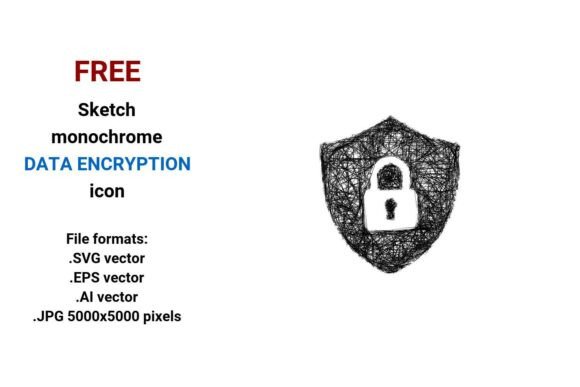
Whether you're launching a privacy-focused app, designing a cybersecurity landing page, or crafting an educational slide deck on digital safety, visuals matter — especially when they communicate trust, protection, and clarity. The FREE Sketch Data Encryption Icon delivers exactly that: a clean, expressive, handdrawn-style representation of data encryption — without cost, complexity, or compromise.
What Makes This Icon Different?
Unlike generic lock or shield icons, the FREE Sketch Data Encryption Icon blends technical meaning with human warmth. It’s drawn in a playful, pencil-sketch aesthetic — think light linework, subtle imperfections, and intentional roughness — yet remains instantly recognizable as a symbol of encrypted data. This duality makes it ideal for audiences who value both authenticity and authority: educators explaining security concepts to students, startups building empathetic tech brands, or designers seeking relatable UI elements.
It’s not just about style — it’s about structure. As a vector image, every version is built from mathematical paths (points, curves, lines), not pixels. That means whether you’re printing a 48" conference banner or scaling the icon down to a 24px mobile button, it stays razor-sharp. No blurring. No distortion. Just consistent, professional-grade clarity.
Four Formats, One Flexible Asset
The FREE Sketch Data Encryption Icon comes in four widely supported file formats — each serving distinct creative needs:
- .SVG vector: Perfect for websites and modern web apps. Loads fast, supports CSS styling, and scales responsively across devices.
- .EPS vector: Industry-standard for print workflows — compatible with Adobe Illustrator, CorelDRAW, and most professional design suites.
- .AI vector: Native Adobe Illustrator format — fully editable layers, colors, and paths. Ideal if you need to tweak stroke weight, adjust spacing, or integrate into larger brand assets.
- .JPG (5000×5000 px): High-resolution raster option for quick use in presentations, social media graphics, or platforms that don’t support vector files. Crisp detail even at large sizes.
Because all versions share the same black-and-white sketch foundation, switching between them is seamless — no redesign needed. You get one cohesive visual language across digital, print, and presentation contexts.
Why “Sketch” Works So Well for Security
At first glance, “sketch” and “security” might seem like opposites — one evokes spontaneity; the other, precision. But in practice, the FREE Sketch Data Encryption Icon bridges that gap beautifully.
A handdrawn aesthetic signals approachability — lowering barriers for non-technical users learning about technology and security. A doodle-style icon doesn’t intimidate; it invites. Meanwhile, its clear visual metaphors — interlocking shapes, shield-like enclosures, or stylized binary patterns — reinforce the core idea of encrypted data being protected, contained, and intentionally secured.
This balance is why designers choose sketch icons for:
- Privacy policy illustrations
- Onboarding flows for encrypted messaging apps
- Infographics about end-to-end encryption
- Security awareness training materials
- Startup pitch decks highlighting data ethics
Who Benefits Most — And How?
General consumers appreciate intuitive symbols when choosing tools for online safety — a well-placed FREE Sketch Data Encryption Icon on a website footer or app store listing quietly reinforces credibility.
Professionals — especially UX designers, content strategists, and product managers — rely on reusable, editable assets to maintain consistency across documentation, dashboards, and internal tooling. With full icon vector control (.AI/.EPS), they can recolor, resize, or combine elements without outsourcing.
Business owners often lack in-house design resources. This icon removes friction: drop the .SVG into a WordPress theme, embed the .JPG in a Canva presentation, or paste the .EPS into a brochure layout — all in minutes.
Creators and educators use the handdrawn vector icon to add warmth to explainer videos, printable worksheets, or open-source curriculum kits — reinforcing that data encryption isn’t just for engineers; it’s part of everyday digital literacy.
Real-World Use Cases
- A nonprofit launching a digital safety workshop uses the black-and-white sketch icon in slide headers and handout margins — creating visual continuity while keeping production costs near zero.
- A SaaS startup adds the .SVG version as a hover state for their “Encrypt File” button — giving immediate feedback that action triggers real encryption, not just a label.
- A university professor incorporates the .JPG into lecture notes about HTTPS and TLS — pairing technical diagrams with approachable iconography to aid retention.
- A freelance designer builds a custom dashboard for a fintech client using the .AI file — adjusting line thickness to match the client’s minimalist UI system, then exporting updated assets in seconds.
Strengths — And Honest Considerations
The FREE Sketch Data Encryption Icon shines in versatility, accessibility, and expressive clarity. Its strengths include:
- Zero licensing friction: Truly free for personal and commercial use — no attribution required.
- Cross-platform compatibility: Works in Figma, Sketch, Adobe CC, Canva, PowerPoint, and more.
- Emotional resonance: The pencil sketch icon feels human-first — aligning with values-driven branding around transparency and user agency.
That said, it’s worth noting practical considerations:
- It’s intentionally black and white — so if your project requires vibrant color integration, you’ll need to edit the vector files (easily done in Illustrator or Inkscape).
- As a simple line sketch, it prioritizes readability over intricate detail — ideal for UI, but less suited for highly technical schematics requiring labeled components.
- While fully editable, minor adjustments (like adding gradients or shadows) require basic vector software knowledge — though tutorials for these tasks are widely available and beginner-friendly.
How to Evaluate Fit for Your Project
Ask yourself:
- Does my audience respond better to warm, approachable visuals — or ultra-polished, corporate aesthetics? If the former, this handdrawn data encryption icon fits naturally.
- Do I need scalability across multiple outputs? From mobile UI to large-format print? Then the bundled vector formats (.SVG, .EPS, .AI) offer unmatched flexibility.
- Is speed important? If you’re prototyping fast or updating live pages, the ready-to-use .JPG and .SVG eliminate conversion delays.
- Am I communicating “protection” — not just “tech”? The data encryption button variant (often included in icon sets) works exceptionally well for interactive elements where users need to feel confident clicking “Encrypt” or “Secure Transfer.”
In short: if your goal is to make encrypted data feel both understandable and trustworthy — without sacrificing quality, adaptability, or ease of use — the FREE Sketch Data Encryption Icon is more than a graphic. It’s a thoughtful design decision, delivered openly and efficiently.
Final Thought: Icons Are Silent Ambassadors
Every time someone sees a data encryption icon on your site, app, or report, they’re making micro-judgments about your commitment to security, clarity, and care. The FREE Sketch Data Encryption Icon doesn’t shout — it listens, observes, and responds with quiet confidence. It’s proof that powerful technology communication doesn’t require complexity. Sometimes, the most effective message is drawn simply, thoughtfully, and shared freely.